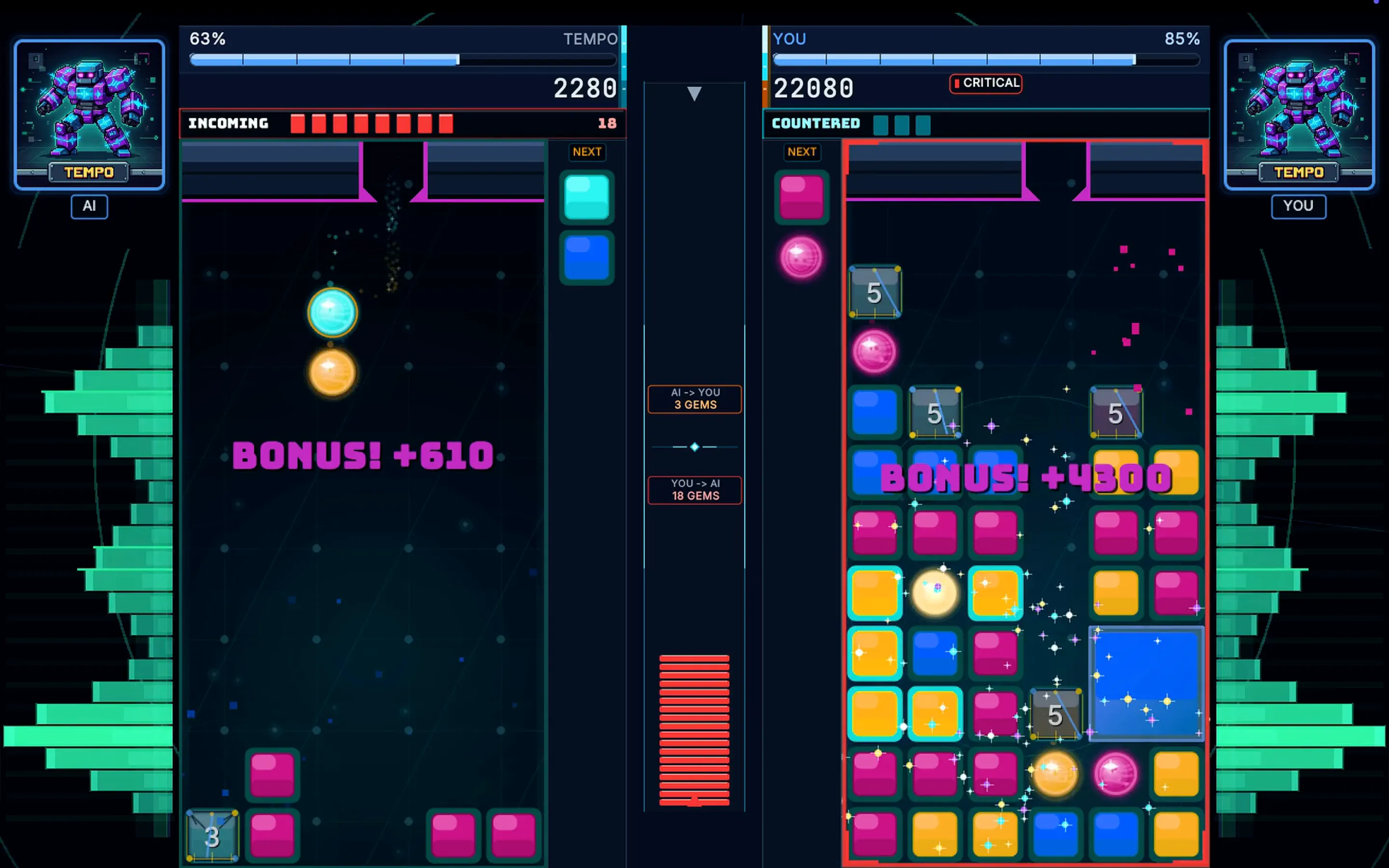
ChonkBlocker 1.0, from the approved Mac App Store preview.
Apple approved ChonkBlocker 1.0 for the Mac App Store today. Build 1007 is the first public Mac App Store release.
This release is the same ChonkBlocker game we build for desktop, packaged as a self-contained Mac app and adapted to the rules of the App Store. It runs on Apple silicon and Intel Macs, uses native Apple account and purchase services, keeps controllers and fullscreen working inside the sandbox, and does not require Java to be installed separately.
Open ChonkBlocker on the Mac App Store →
A Java game in a Mac app
The desktop client is written in Java. The App Store package is not a loose JAR and it does not depend on whatever Java runtime happens to be on the machine. We pin JetBrains Runtime 25.0.2, build b329.117, make a trimmed runtime image with jlink, and assemble the application bundle with jpackage.
The runtime image contains the Java modules the game actually needs:
java.base, java.desktop, java.logging, java.management,
java.naming, java.net.http, java.sql, jdk.crypto.ec,
jdk.management, jdk.sctp, jdk.unsupported
The result is a normal ChonkBlocker.app with its own JVM under Contents/runtime. Launching from Finder, Launchpad, or the App Store starts that pinned runtime directly. That gives us one known graphics, audio, garbage-collection, and windowing environment on every supported Mac.
Why we ship JBR
JetBrains Runtime gives us window APIs that are useful for a game but are not part of stock Java. ChonkBlocker uses its custom title-bar service to extend our UI into the top of the window while preserving the real macOS traffic lights, drag behavior, native shadow, and rounded corners.
Fullscreen hands control to the macOS EAWT fullscreen API. The game moves into a real AppKit fullscreen Space and listens for the asynchronous enter and exit events before committing its render size. That keeps the title bar and game viewport in sync with the operating-system animation instead of guessing from window bounds.
JBR is still a JVM, so the App Store build needs Apple’s allow-jit entitlement. The rest of the app stays sandboxed. The release does not request Accessibility permission, synthesize system keystrokes, or use a private fullscreen workaround.
The native Apple bridge
App Review expects Mac apps to behave like Mac apps. Java can own the game loop, but Apple sign-in, StoreKit purchase proof, and Keychain storage need first-class platform integration. We built a small native library, libChonkNativeBridge.dylib, and load it from Java through JNA.
The bridge has two source halves:
- Objective-C and AuthenticationServices present the native Sign in with Apple sheet. The bridge uses the game’s key, main, or visible
NSWindowas the presentation anchor, requests the player’s name and email, and returns the identity token and authorization code to the Java account client. - Swift and StoreKit 2 request
AppTransaction.shared, require a verified transaction, and export its signed JWS representation. That proof tells our account service that this copy came from the Mac App Store.
The same library calls Security.framework for generic Keychain items and reads the signed App Store receipt as a fallback. After sign-in, the Java client exchanges the Apple credential and purchase proof with the Chonk account service. The session token is saved in the user’s Keychain, not a plain preferences file, so later launches can restore the session without reopening the Apple sheet.
Apple identity and paid ownership remain separate on the server. An Apple identity token links the player to an account; a verified StoreKit transaction or signed receipt grants the Mac App Store entitlement. Treating those as two different proofs closes a surprisingly easy hole in cross-platform account systems.
Controllers inside the sandbox
Controller input still runs through SDL2 and libsdl4j. The App Store bundle includes the correct SDL2 library for each processor architecture and carries the USB and Bluetooth sandbox entitlements needed for wired and wireless gamepads. Keyboard input uses the same frame-latched input path as the other desktop builds.
The Mac package is deliberately free of Steamworks binaries and Steam controller profiles. Steam and the Mac App Store are separate distribution channels, and our artifact verifier fails the build if Steam assets leak into the App Store package.
One universal, signed package
CI builds two complete app images: one on Apple silicon and one for Intel. It then merges the native slices into a universal app, signs the nested runtime and libraries, embeds the App Store provisioning profile, signs the outer app with the Mac App Store application identity, and creates the installer package with Apple’s installer identity.
Before upload, the verifier checks every bundled Mach-O file for its expected architecture slices. It also checks the native bridge symbols, sandbox entitlements, privacy manifest, icon catalog, JNA dispatch library, SDL2 runtime, distribution channel, version and build number, and confirms that forbidden Steam files are absent.
The privacy manifest declares the required-reason APIs used by the bundled runtime for file timestamps, available disk space, system boot time, and user defaults. ChonkBlocker does not use the package for tracking or advertising.
Build 1007
Approval is the point where all of those pieces become one product instead of a release pipeline. ChonkBlocker 1.0 is signed by the Mac App Store, installed and updated by Apple, and connected to the same accounts, leaderboards, challenges, and online play as the rest of the ChonkBlocker ecosystem.
The Steam release is open for wishlists, and ChonkBlocker Mobile is in review for iPhone and iPad. The free ChonkBlocker Retro edition remains available in the browser, as a standalone desktop app, and as an SNES ROM.
See every current option on the new Get ChonkBlocker page. We’ll keep that page current as each store release moves forward.